Home > Posts > Planning and imagery improvements in Contour
2 July, 2020
Planning and imagery improvements in Contour
Contour launches new mobile app enabling farmers
02
JULY, 2020
Contour Release Note Update
Create plans using GCVI and SOB imagery
Preview raw satellite images
Demonstrate responsible fertiliser use using our new compliance report
Create plans using chlorophyll and soil reflectance imagery
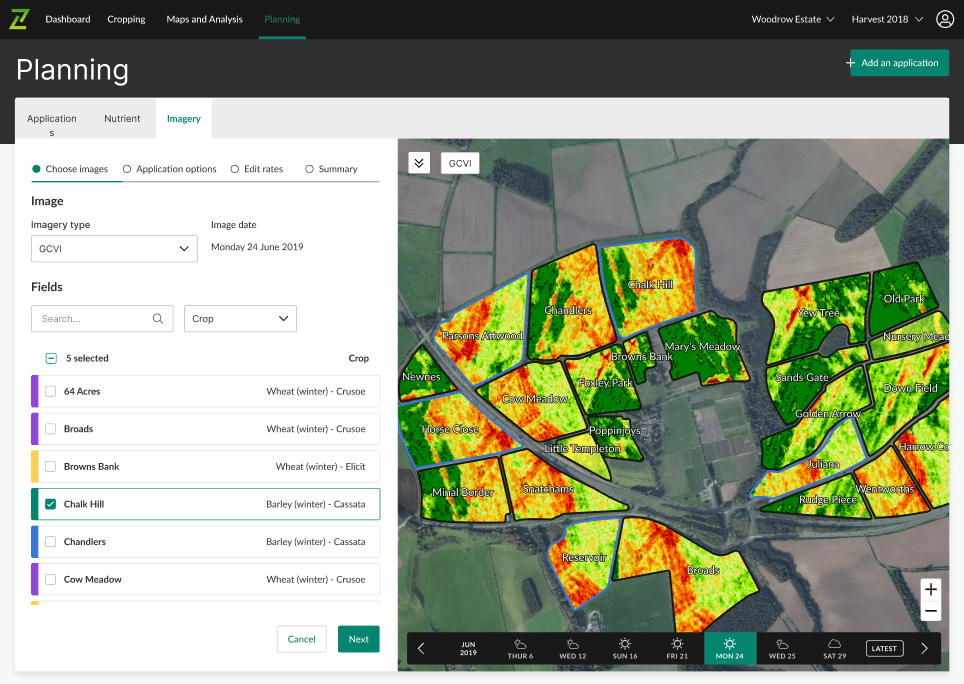
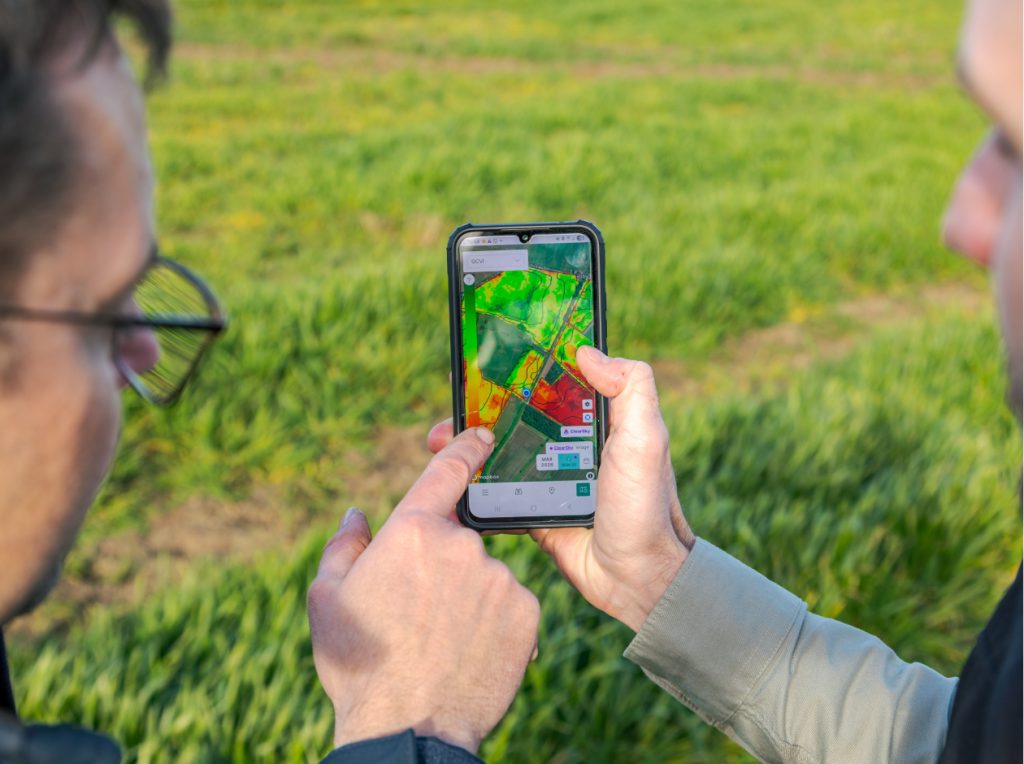
From today you can now use both chlorophyll (GCVI) and soil brightness (SOB) imagery to create variable plans for both seed and fertiliser.
GCVI imagery estimates the leaf chlorophyll content by measuring the green light spectrum. It is more sensitive to chlorophyll concentration than NDVI, sensing crop nitrogen levels to a greater degree, while identifying crop stress and senescence earlier. This makes GCVI particularly useful for late season variable rate applications.
SOB imagery provides an assessment of soil variation by sensing the reflectance of bare soil. Soil variation defined by texture, organic matter and moisture can all be detected by SOB imagery. Where crop establishment and yield variation are impacted by variation in these soil properties, seed rates can be adjusted and optimised for each soil type sensed in the SOB image, improving establishment, canopy management and yield.
Plan with intelligence for harvest desiccation and autumn drilling:
Tailor pre-harvest glyphosate using GCVI imagery to apply a higher rate where required
Create seed plans in response to yield variation using GCVI imagery
Adjust seed rates accordingly to soil variation using SOB imagery
Improve establishment and aid crop canopy management
Quick and easy creation of plans
For a step-by-step guide and video on how to create a plan, follow this link.
GCVI selected on ‘Imagery type’ dropdown on ‘Choose images’ step of creating a plan
Satellite imagery preview in Contour
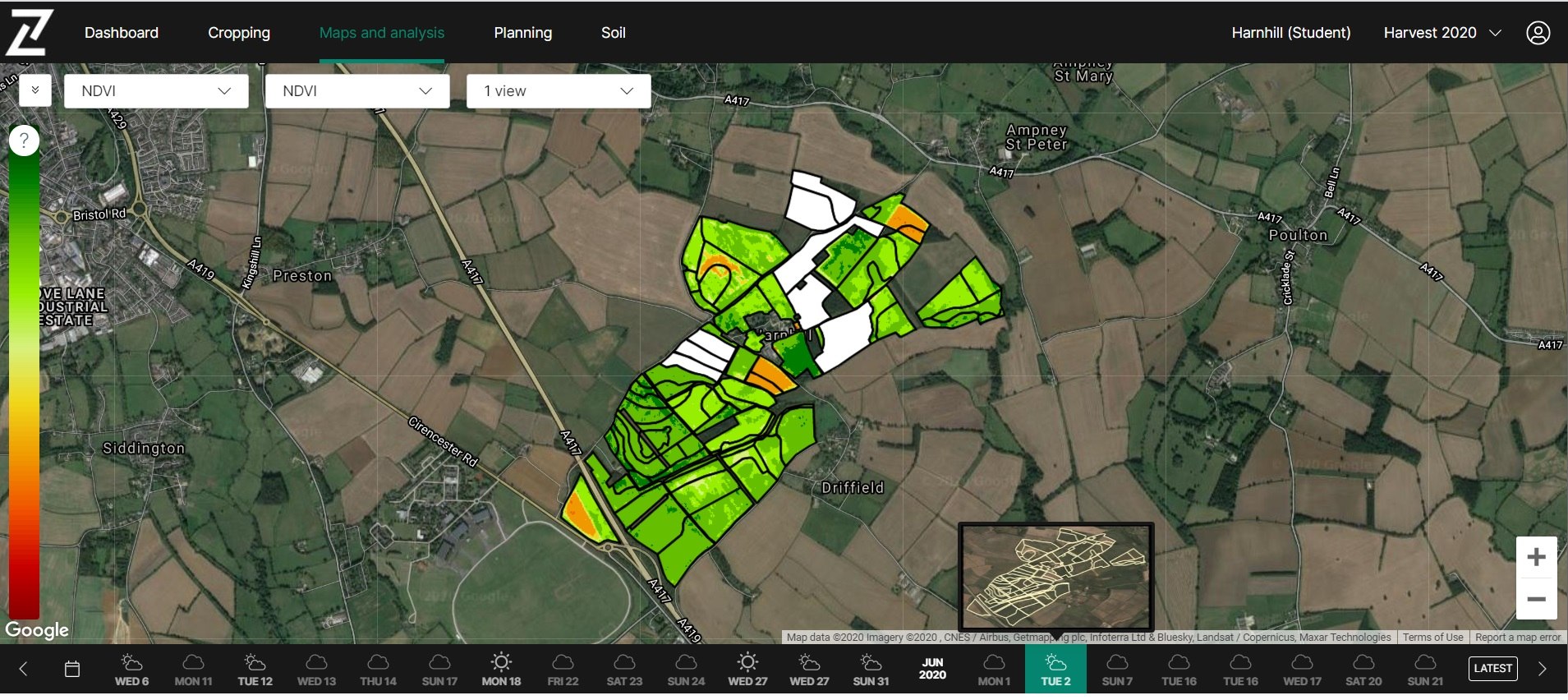
When hovering over dates on the imagery timeline, a thumbnail pop-up will now preview the raw satellite image. This will enable you to see the level of cloud present and show how much of the farm is visible on partial images.
Thumbnail indicating fields with a partial image on 2nd June 2020
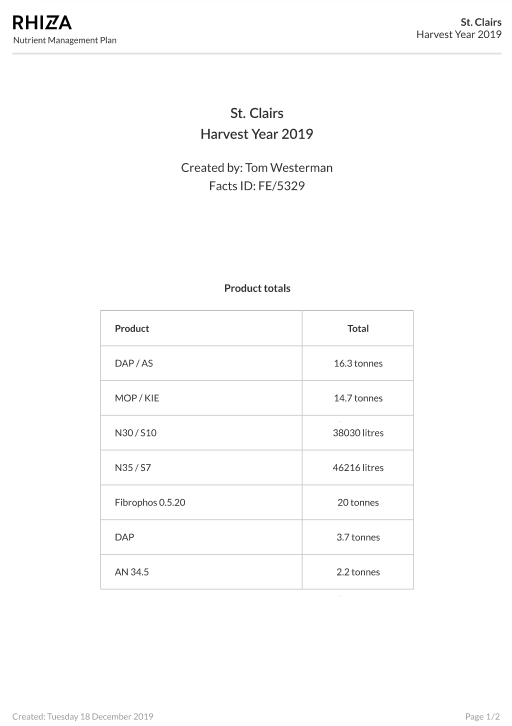
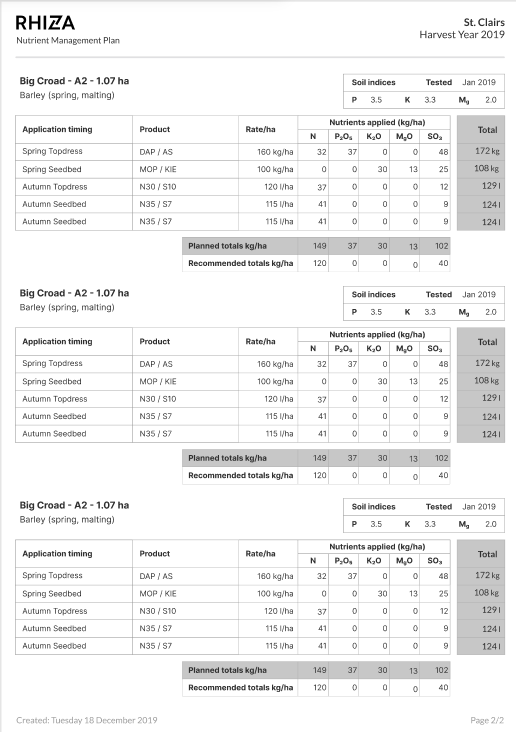
Nutrient application report
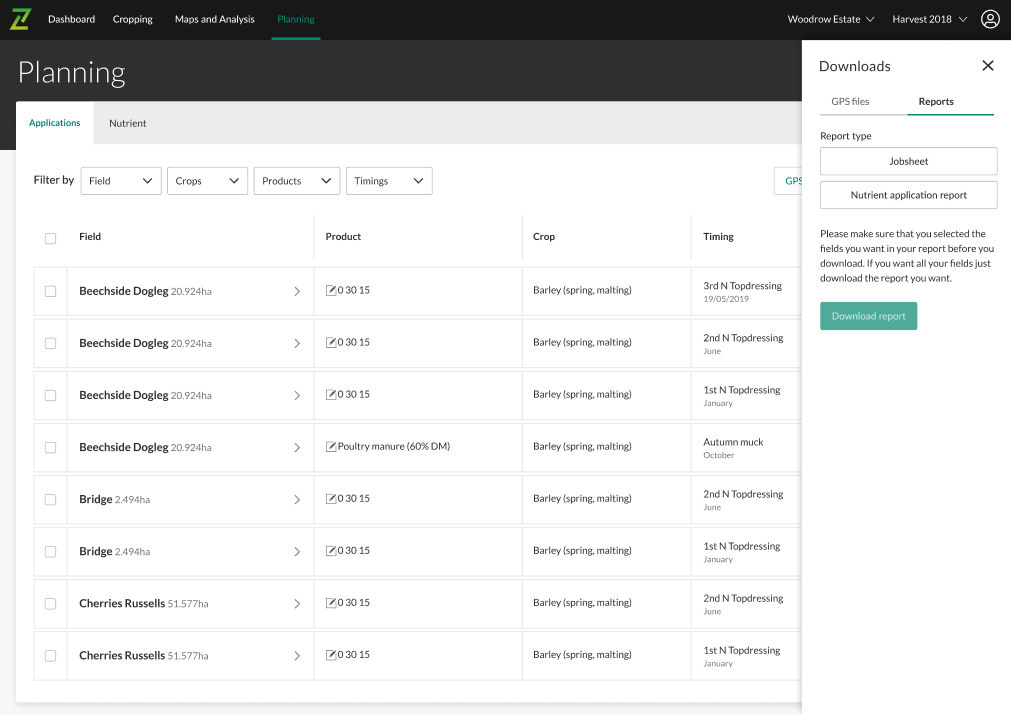
In the event of farm inspections, use a downloaded nutrient application report from the Planning page to demonstrate that your plan meets nutrition guidelines. The report provides product totals along with a detailed nutrient and application summary for each zone on the farm. This includes soil analysis data, planned applications with nutrient rates, and recommended and planned nutrient totals.